


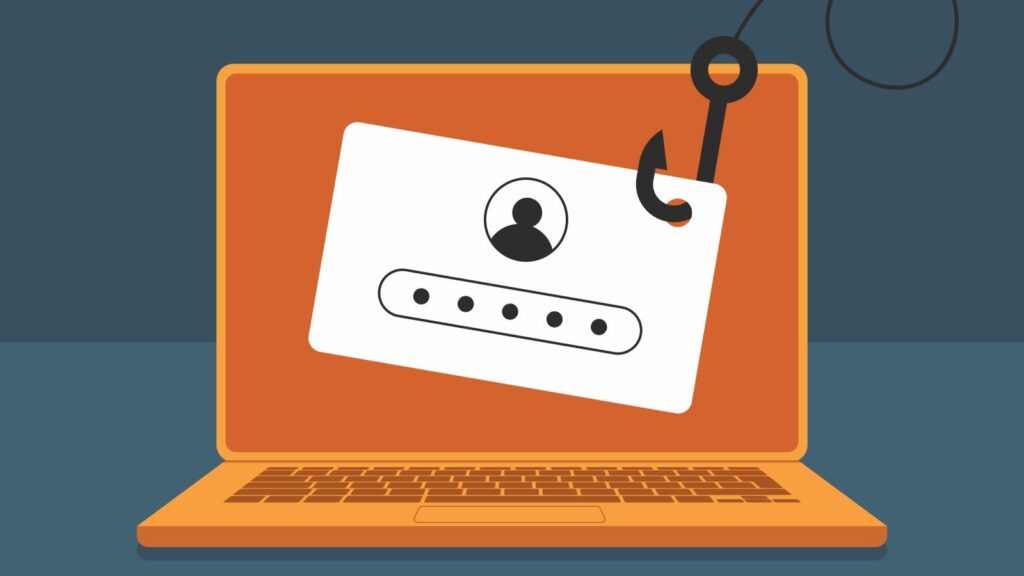
We used to get one suspicious email a week. Now we get one a day — and at least two of them each week are convincing enough to give us pause.
Cybersecurity has been a background concern for most people for the better part of two decades. Lock your passwords. Don't click strange links. You've heard it. We've all heard it. But something has shifted in the last year or two, and we think it's worth talking about plainly: the attacks have gotten significantly smarter, more frequent, and more targeted — and the consequences in our own community have been serious.
We know of two local accounting firms and a financial planning firm that have had email accounts compromised due to phishing attacks. One of those situations has escalated to the point where the firm's data is being held for ransom and the FBI is involved. These are not abstract cautionary tales. These are firms doing business in the Treasure Valley, serving clients not unlike you.
We share this not to alarm you, but because we think you deserve to know what the landscape actually looks like right now and what you can do about it.
Quick Take
- Phishing attacks have gotten smarter, faster, and more targeted — AI has meaningfully raised both the quality and the volume of attempts
- We're seeing the consequences firsthand: local firms compromised, data held for ransom, the FBI involved
- A successful phishing attack can result in drained accounts, stolen identities, and financial fraud that takes years to untangle
- The most overlooked threat isn't a hacker targeting your firm — it's your own compromised email being used against the people you work with
- Spotting a phishing attack comes down to a handful of habits that take seconds to practice
- When you protect your own accounts, you protect everyone connected to you
Table of Contents
Why Phishing Attacks Are Getting Better

Artificial intelligence has changed the game. Phishing emails used to be easy to spot: broken English, suspicious sender addresses, implausible urgency. Many still look that way — but a growing number don't.
Generative AI allows bad actors to write polished, professional emails that mimic the tone and style of real people and real organizations with unsettling accuracy. More troubling still, AI can now convincingly spoof voices. Someone could call you impersonating a family member in distress — and sound startlingly like them — in an effort to get you to wire money quickly.
The volume has increased and so has the quality. That combination is dangerous, and it's why the old advice of "just look for spelling mistakes" no longer cuts it.
What's at Stake
A successful phishing attack isn't just an inconvenience. Depending on what the criminal gets access to, the consequences can include:
Drained financial accounts. Once a bad actor has your login credentials, your bank accounts, brokerage accounts, and any linked financial platforms are accessible. Funds can be moved quickly and recovery is not guaranteed.
Identity theft. With enough of your personal information, criminals can file fraudulent tax returns, open lines of credit in your name, or obtain medical care on your dime. Cleaning up identity theft is a significant ordeal — mounds of paperwork, calls to agencies you didn't know you'd need to contact, and months of follow-up.
Fraud committed in your name. A compromised email account doesn't just expose you — it exposes everyone in your contacts. Criminals can impersonate you to scam your family members, your colleagues, or your financial institutions.
The common thread in all of these outcomes is access. A single clicked link or entered password can open the door to all of it.
The Most Dangerous Attacks Often Start With Email
Here is something we have observed that does not get discussed enough: many of the most effective attacks on financial firms do not start by hacking the firm itself. They start with a compromised client email account.
A criminal gains access to a client’s email. They monitor conversations, learn the language, study relationships, and watch the timing of communications. Eventually, they send a convincing request — appearing to come directly from the client — asking the firm to move money, change account details, share documents, or take some other financial action.
Recently, this happened to us.
A client’s email account had been compromised, and we received an email containing a counterfeit Microsoft OneDrive link. The message simply stated that the link included a copy of the client’s recent tax return. Before opening the file, we contacted the client directly to verify the request. That is when we learned the email account had been compromised and the link was malicious.
That single moment of verification likely prevented a much larger problem.
This is why protecting yourself online is not just about protecting yourself. When your email accounts, passwords, and devices are secure, you are also helping protect the people and institutions you work with.
How to Spot a Phishing Attack

This is where it gets practical. None of what follows requires a technical background. It requires about ten seconds of skepticism before you click anything.
1. Check the Sender's Email Address
The display name in your inbox can say anything. "Chase Bank." "Your IT Department." Even your financial advisor's name. What can't be faked as easily is the actual email address behind it.
Click on or hover over the sender's name and look at the full address. A legitimate email from Chase comes from a chase.com domain. An email from [email protected] does not, no matter what the display name says. When something feels slightly off about where an email came from, trust that instinct and look closer.
2. Check the Link Before You Click It
Before clicking any link in an email, hover your cursor over it. The actual destination URL will appear — usually in the bottom corner of your browser or email client. If the link claims to take you to your bank's login page but the URL looks unfamiliar, misspelled, or overly complicated, don't click it.
When in doubt, skip the link entirely and navigate directly to the website by typing the address into your browser yourself. It takes an extra fifteen seconds and it's worth it.
3. If You Weren't Expecting It, Verify It
This is the most important habit on the list, and it's the one that saved us.
If you receive an email asking you to take a financial action — move money, update account information, approve a transaction, click a link to verify your identity — and you weren't expecting it, pick up the phone and call. Not a reply email. Not a text. A call to a number you already have saved or can independently verify.
It doesn't matter if the email looks completely legitimate. It doesn't matter if it came from someone you know well. A two-minute phone call is a small price to pay for certainty.
4. Slow Down When There's Urgency
Urgency is a tool. "Your account will be suspended in 24 hours." "Immediate action required." "Wire must be completed today." These phrases are designed to make you act before you think.
Legitimate institutions — banks, advisors, the IRS — do not operate this way. They send letters. They give you time. When an email is pushing you to act immediately, that pressure itself is a red flag worth taking seriously. Slow down and verify through another channel.
A Note on How We Handle Your Data

We take the security of your information seriously, and we've invested in the systems and processes to back that up. We use two-way encrypted communication and document storage, require two-factor authentication across our platforms, and maintain strict protocols around any account changes — including always calling to verify requests directly with you before acting on them.
That last piece matters. No matter how convincing an email appears to be, we will never move money, change account details, or take a significant action based on an email alone. If something seems unusual, we call. Every time. That habit is what caught the attack we described above before it became a problem.
We're also continuing to improve. The threat environment has gotten serious enough that we're treating cybersecurity as an ongoing priority, not a one-time checkbox.
Related Content
How to Freeze Your Credit (Step by Step)
The Bottom Line
Phishing attacks have graduated from obvious nuisances to genuinely sophisticated threats. The firms that have been compromised in our community weren't careless — they were targeted by criminals using better tools than they had access to even two years ago.
The good news is that the defense doesn't require sophisticated tools. It requires a few seconds of skepticism before you click, a habit of verifying unexpected requests, and an awareness that urgency in an email is a warning sign, not a reason to hurry.
If you have questions about any of this, or if something in your inbox doesn't feel right, don't hesitate to reach out. We're always happy to take a look.

Disclosure:
This blog reflects the personal opinions, viewpoints and analyses of the White Cloud Wealth Management employees providing such comments, and should not be regarded as a description of advisory services provided by White Cloud Wealth Management. The views reflected in the blog are subject to change at any time without notice. Nothing in this material constitutes investment advice, performance data or any recommendation that any particular security, portfolio of securities, transaction or investment strategy is suitable for any specific person. Any mention of a particular security and related performance data is not a recommendation to buy or sell that security.